
Categories answer what; tags answer why it matters right now
A grocery run categorized as Food and a train ticket categorized as Transportation are two separate things - until they are both part of the same weekend trip. A tag like Barcelona weekend lets you pull all those transactions together later without reorganizing your entire category structure.
Tags in YAFFA are lightweight, optional labels you attach to individual transaction items. They sit alongside your main categories rather than replacing them. A transaction item can carry any number of tags, and the same tag can appear across many transactions - spanning different accounts, payees, and categories.
What tags help you do
Group transactions by theme, not just by category.
Use a tag for a home renovation, a business trip, a seasonal project, or a reimbursement process - anything that makes a set of transactions meaningful together, regardless of their categories.
Mark items for later review.
Tag transactions you need to revisit - expenses awaiting reimbursement, items relevant for tax filing, or purchases you want to evaluate at the end of the month. The tag turns a vague intention into a filterable list.
Create tags during transaction entry, without leaving the form.
If the right tag does not exist yet, type the name directly into the tag field while recording the transaction. YAFFA saves it on the spot and makes it available immediately for future use.
Attach multiple tags to one item.
A single transaction item can carry more than one tag. A flight can be tagged as both work travel and Q2 expenses - both views remain valid at the same time.
Filter transaction reports by tag.
Clicking a tag from the management screen or the report filters opens a view of every transaction that carries it, across all accounts, payees, and categories. One click gives you the full picture of any labeled theme.
Keep the selection list clean as tags age out.
Tags you no longer actively use can be marked as inactive. They disappear from the entry form's suggestion list while all past transactions they are attached to remain fully intact. Reactivate at any time if the theme becomes relevant again.
Tags vs categories - knowing which to use
Categories are permanent, structured, and report-driving. Every transaction item should have a category so that monthly summaries and budget comparisons stay coherent. Tags are situational and optional. Use a tag when a transaction belongs to a temporary context, a one-off project, or a cross-cutting theme that does not fit neatly into your permanent category hierarchy.
Good candidates for tags: a renovation project, a tax year marker, a reimbursement batch, a specific trip, or an expense review flag. Poor candidates: regular recurring spending like groceries or rent - those are better served by a category.
Managing your tags
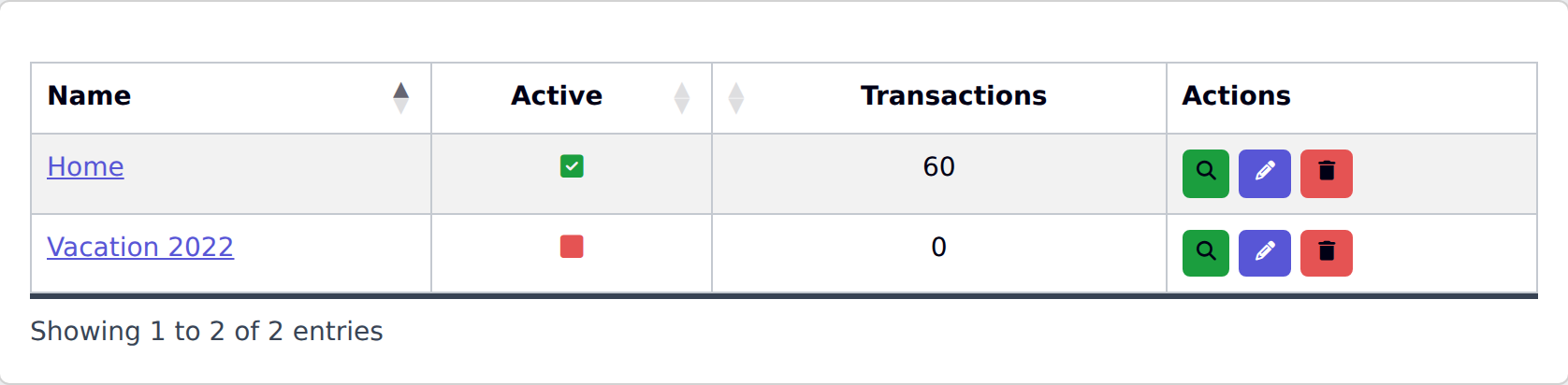
The dedicated Tags page in YAFFA shows all your tags, whether each is active, and how many transactions reference it. From there you can create new tags, rename existing ones, toggle the active state, or delete a tag entirely. Deleting a tag removes it from all past items it was attached to, so treat deletion as a cleanup step rather than a routine action - deactivating is safer when the history might still matter.