
Know how much you can actually afford to save

The “am I actually saving anything” question

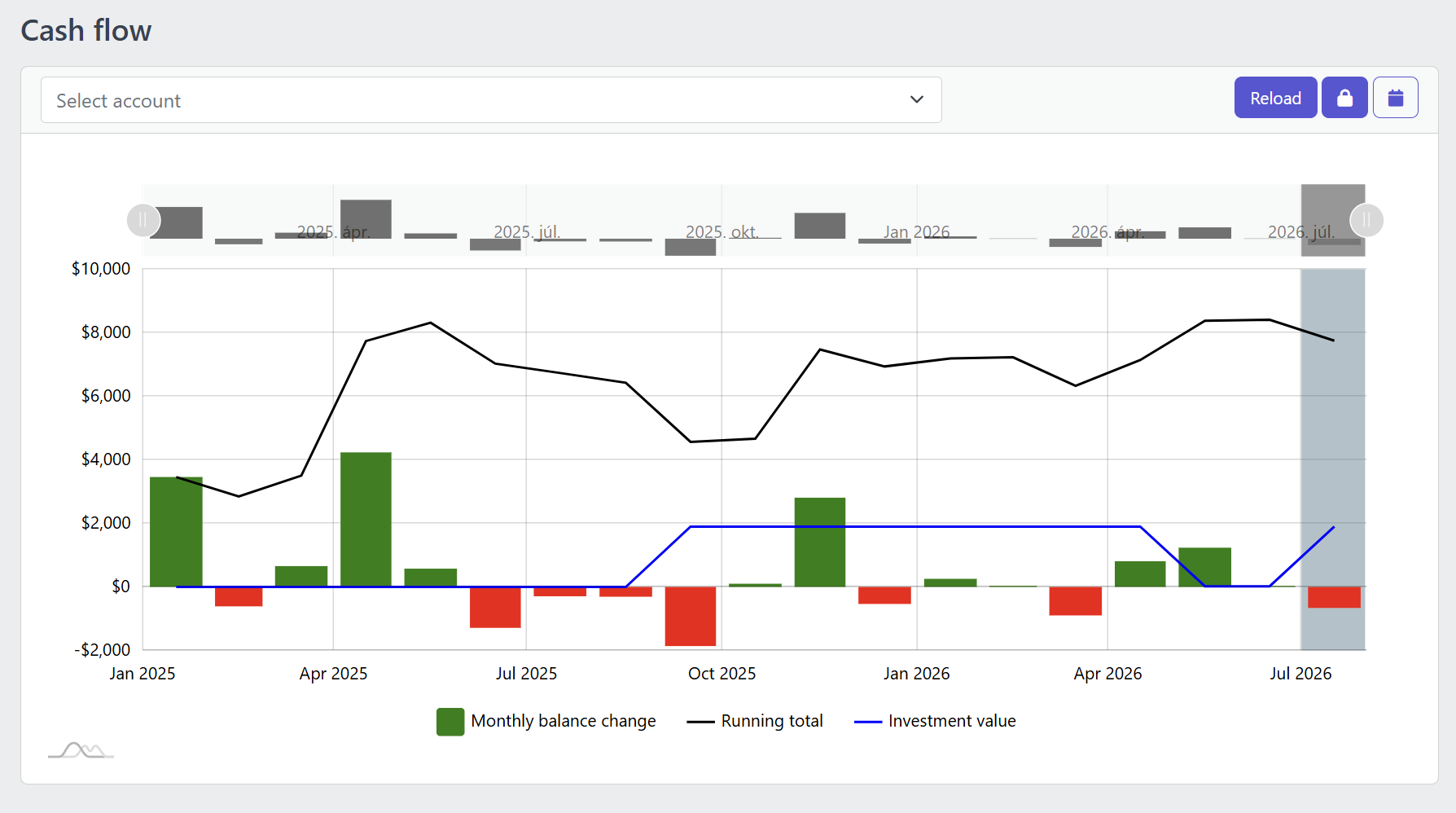
Screenshot of the YAFFA cash flow report showing monthly balance change bars, a running total line, and an investment value line for the past year and a half
A familiar moment

A feeling, never checked against the numbers

It feels like there should be money left over at the end of the month, but that feeling has never actually been checked against the numbers.

How YAFFA helps

Two views keep the picture current

1

Cash flow report

Monthly balance change and cumulative running total in one chart. See Cash Flow.

2

Dashboard

A running snapshot across account groups, so trend-checking becomes a habit rather than a project. See Dashboard.

What this looks like day to day

  1. Open the Cash Flow report and check whether recent months were net positive or negative.
  2. Switch on the forecast view to see whether upcoming scheduled bills and income keep the trend healthy.
  3. Use the running total to judge whether it's time to move free cash into savings or investments.

Worth knowing

This is a trend view for judgment calls, not a formal accounting or tax-reporting output, and forecast quality depends on your schedules and budgets being kept current.

Explore YAFFA

More features and further details

Check out other features of YAFFA personal finance application, or learn more by reading the detailed documentation.

Features

Learn more about the features of YAFFA personal finance application

Learn More about Features

Documentation

Read detailed guides how to get started with YAFFA personal finance application.

Learn More about Documentation

More everyday situations

See how YAFFA helps with other everyday money problems, from scattered accounts to unexplained balance changes.

Learn More about More everyday situations

Ready to take control of your finances?

Try the YAFFA sandbox free — no credit card, no bank connection, no data sharing.

Try the Demo — No Install Needed