
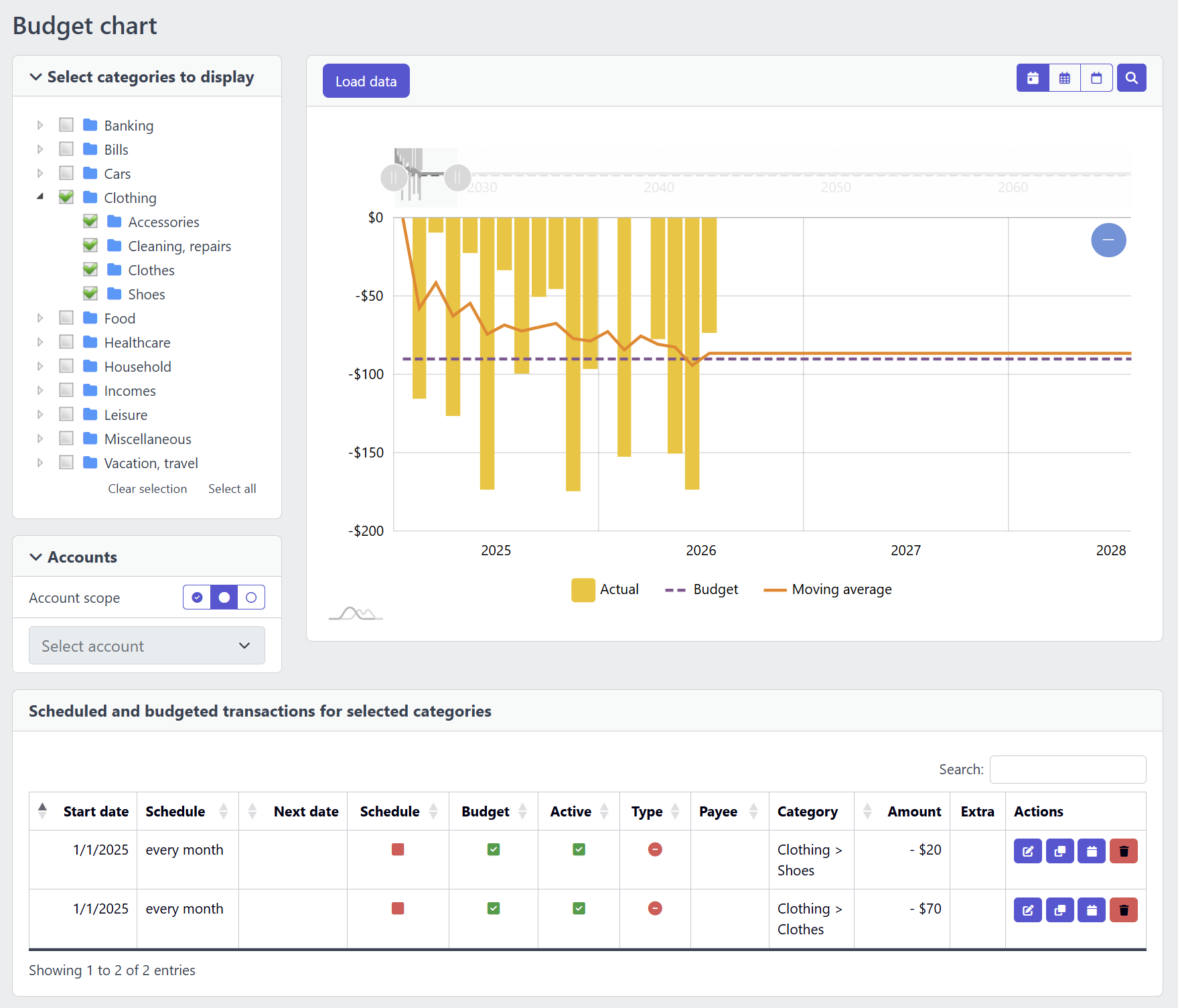
Where the budget line comes from
Nobody re-enters a budget every month in YAFFA. The planned value for each category is the sum of two sources: the categorized items of your scheduled withdrawals and deposits, which count automatically, and your standalone budgets. Both are expanded from their recurrence rules into periods up to your configured planning horizon - and include the annual inflation rate, if you set one - so the budget line on this chart is only as accurate as the entries behind it. If a category looks unexpectedly off-plan, check the budgets and scheduled transactions list before assuming the actual spending is the problem.
A direction tool, not a monthly scorecard
This chart is built to answer is this category drifting?, not did I hit this month's target exactly? Broad category selections make for a less specific story; narrow ones can produce a sparse chart. Multi-currency comparisons are normalized to your base currency for a practical, interpretive view rather than formal accounting precision.
See what makes up each total
A category's planned total is never a black box. For each period you can drill into the breakdown: every standalone budget that contributed (with its account, or “no account”) and every scheduled item. It is the fastest way to go from a chart that looks off-plan to the entry responsible for it - and the safeguard against counting the same spending twice, for example with both an account-specific and a general budget for one category.