
Reports & Insights: make sense of your financial data

YAFFA turns the transactions, budgets, and schedules you have built up into three dedicated report views that answer real questions about your financial life.

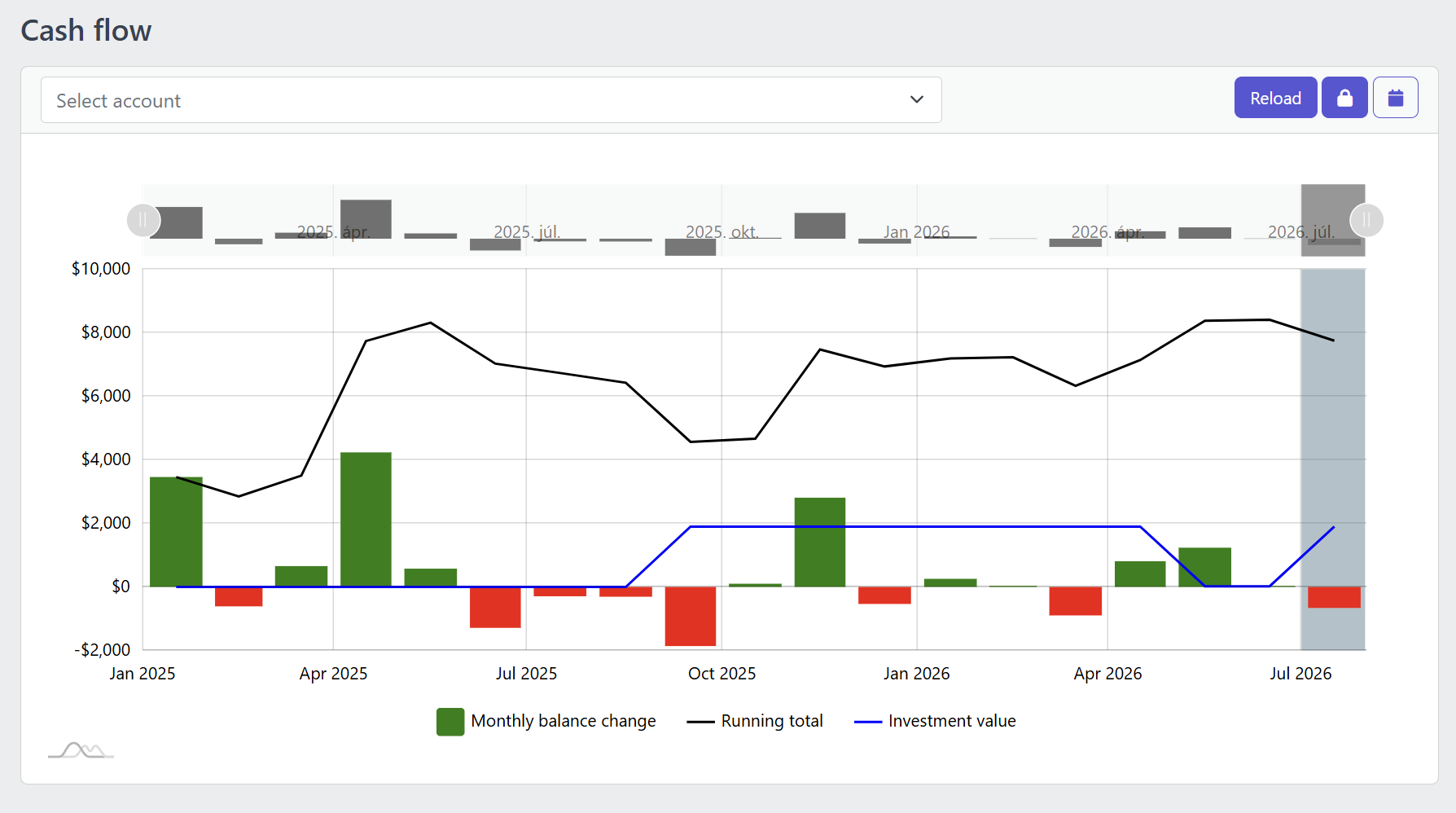
Screenshot of the YAFFA cash flow report showing monthly balance change bars, a running total line, and an investment value line
Cash Flow Report

See your monthly trajectory, not just this month's number

A monthly balance-change chart, a cumulative running total, and an investment value line, all on one timeline. Scope the view to a single account or keep the overall picture, and switch on the forecast toggle to see how your schedules and budgets project the months ahead.

About the cash flow report
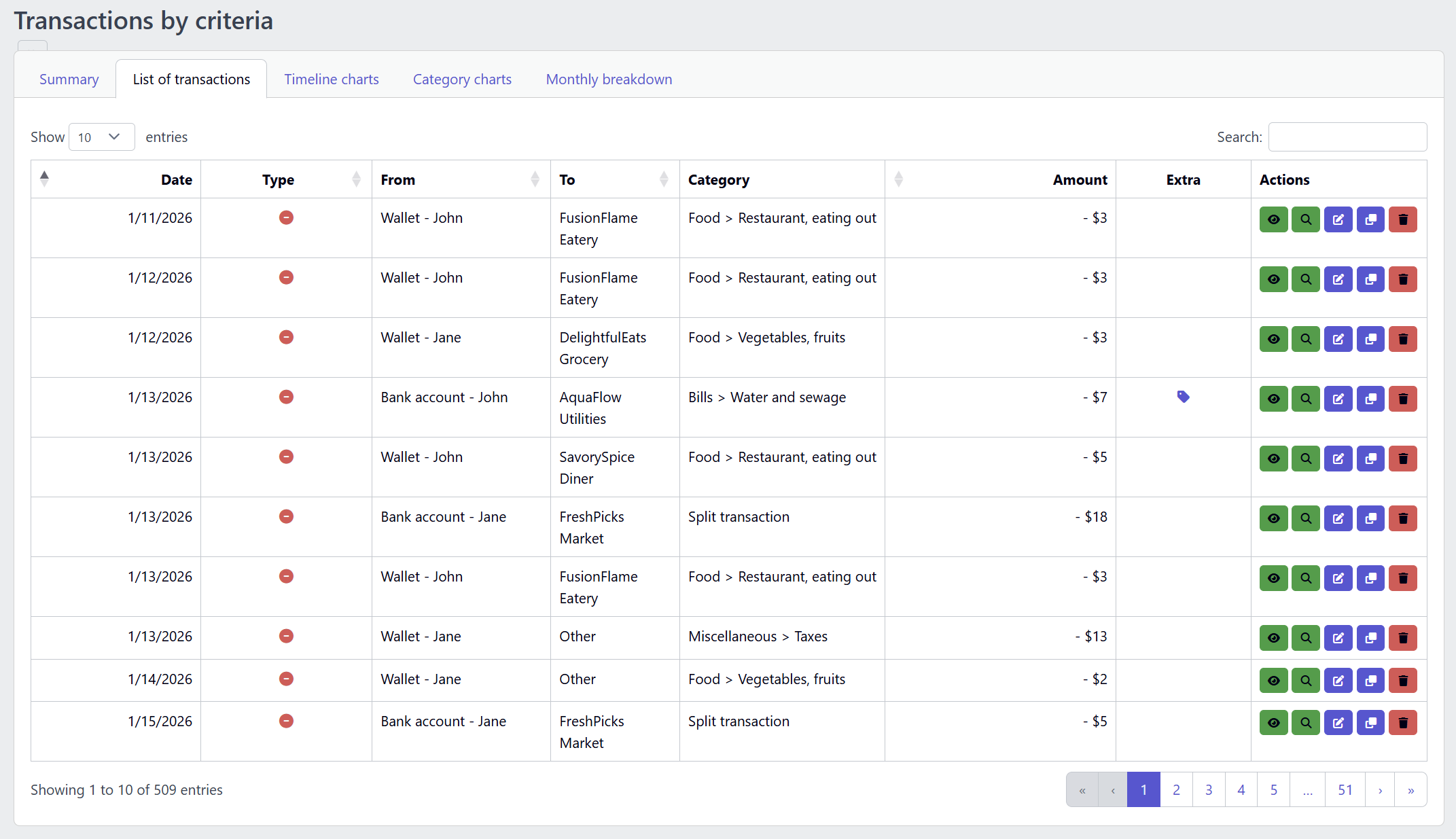
Screenshot of the YAFFA find transactions report showing a filtered list of matching transactions
Find Transactions

Turn a filter into answers different answers

Narrow your transaction history by date, category, payee, account, or tag, then explore the same filtered result set across different views — summary, list, timeline charts, category charts, and a monthly breakdown. It is the most investigative report in YAFFA, built for the moment a raw number needs an explanation.

About find transactions
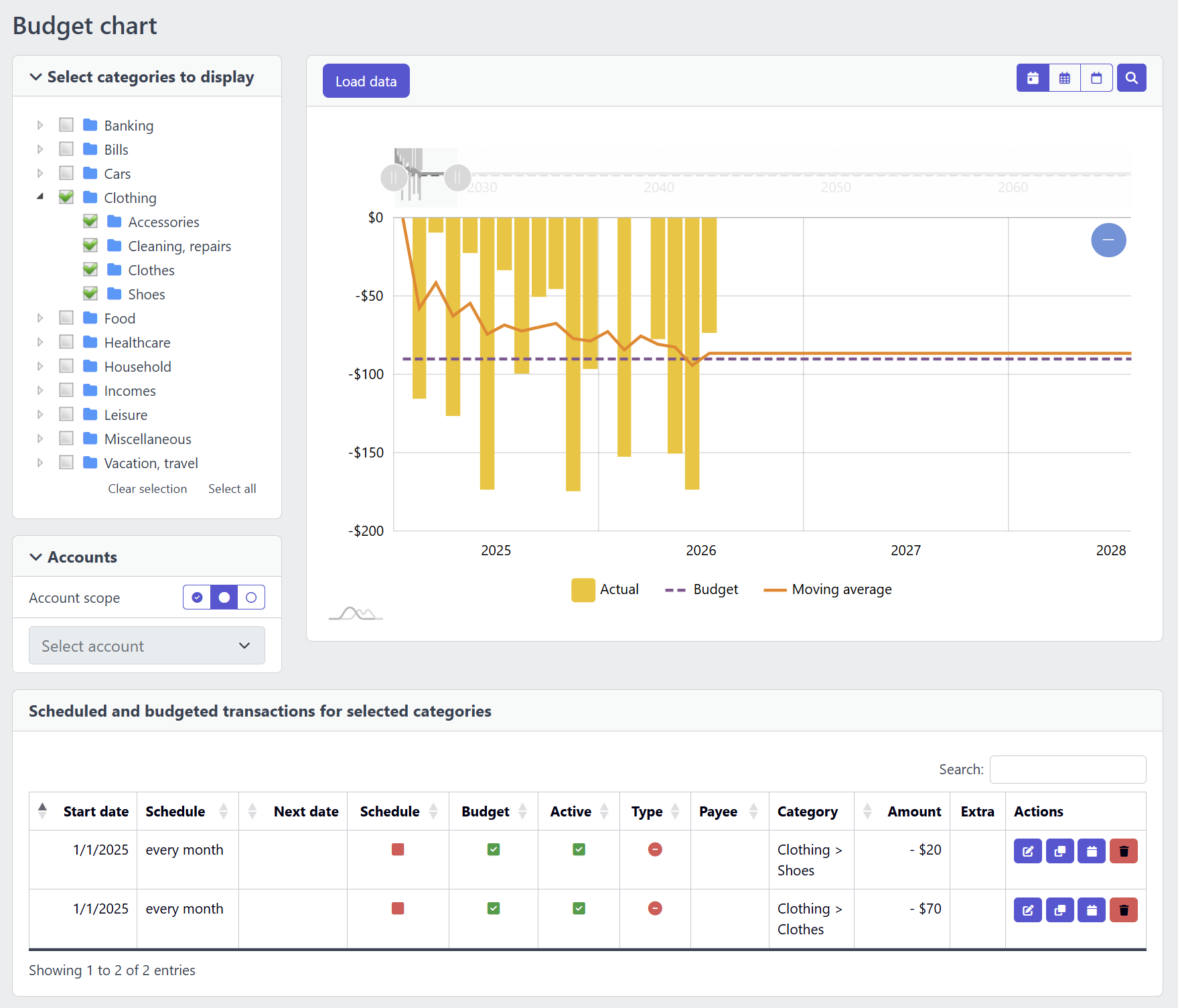
Screenshot of the YAFFA budget chart comparing actual spending against budgeted amounts by category, with a moving-average trend line
Budget Chart

Plan versus reality, category by category

Select the categories you want to review, and compare actual spending against your budgets and scheduled transactions over time. A moving-average trend line helps you judge direction rather than chase a single month, and the supporting table underneath links straight back to the recurring items driving the plan.

About the budget chart

More ways to see your finances

Schedules & budget maintenance

A simpler, table-driven review of every recurring and budgeted transaction in one place. See what is active, overdue, or coming up next, and correct outdated plans directly so the cash flow and budget chart reports stay trustworthy.

Investment timeline

Visualize how your investment holdings span across time. The investment timeline report shows open positions, quantity history, and estimated value so you can review your portfolio development at a glance.


Reports reward consistent recording

The quality of every report in YAFFA depends directly on the quality of your underlying data. The more consistently you record transactions, categorize spending, and maintain your schedules and budgets, the more useful each report becomes. Cash flow becomes a genuine trend line, find transactions becomes a reliable investigation tool, and the budget chart becomes a fair test of whether your plan still matches reality, rather than a rough estimate.

For a quick daily overview before you open a full report, the dashboard gives you the key signals — account totals, last month's category impact, and upcoming scheduled transactions — without navigating into the full reports area.
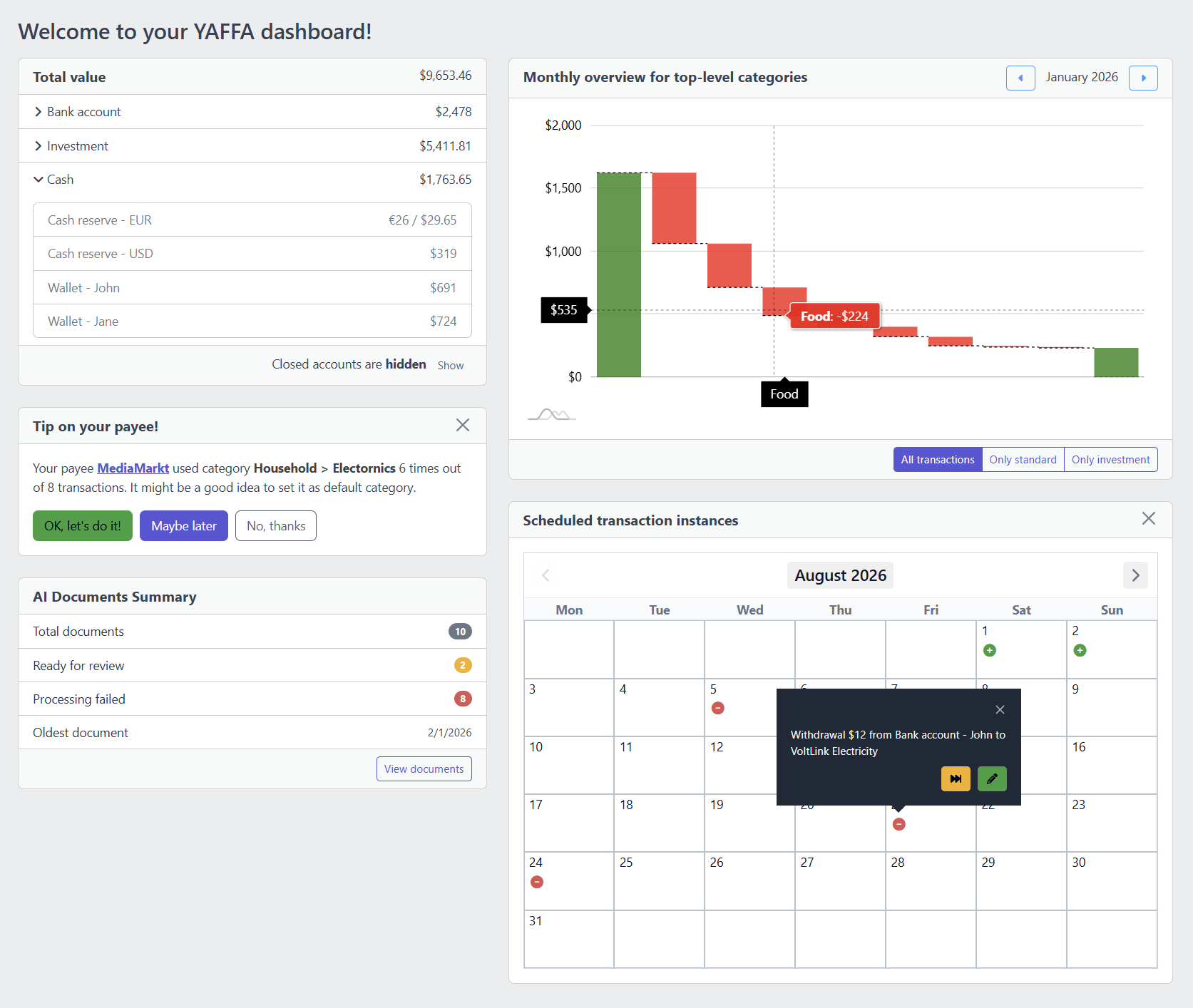
Screenshot of the YAFFA dashboard showing the account balance, cash flow, and scheduled transaction widgets together
The dashboard brings the account balance, cash flow, and schedule widgets together on one screen.
Explore YAFFA

More features and further details

Check out other features of YAFFA personal finance application, or learn more by reading the detailed documentation.

Features

Learn more about the features of YAFFA personal finance application

Learn More about Features

Documentation

Read detailed guides how to get started with YAFFA personal finance application.

Learn More about Documentation

All Features

See how these reports connect to accounts, categories, budgets, and every other feature of YAFFA

Learn More about All Features

Ready to take control of your finances?

Try the YAFFA sandbox free — no credit card, no bank connection, no data sharing.

Try the Demo — No Install Needed